
Ampowr Inverters

Ampowr Inverters
Supported Devices
| Device Type | Variants | Modbus TCP (Ethernet) | RS485 |
|---|---|---|---|
| Ampihome | Single-Phase | ❌ | ✅ |
| Three-Phase | |||
| Hybrid | ✅ |
Wiring
The a-TroniX Controller and the Ampihone inverters communicate via RS485 or Ethernet.
Ethernet
For correct ethernet wiring: Follow the the guidelines for ethernet wiring.
RS485
Info
RS485 Wiring
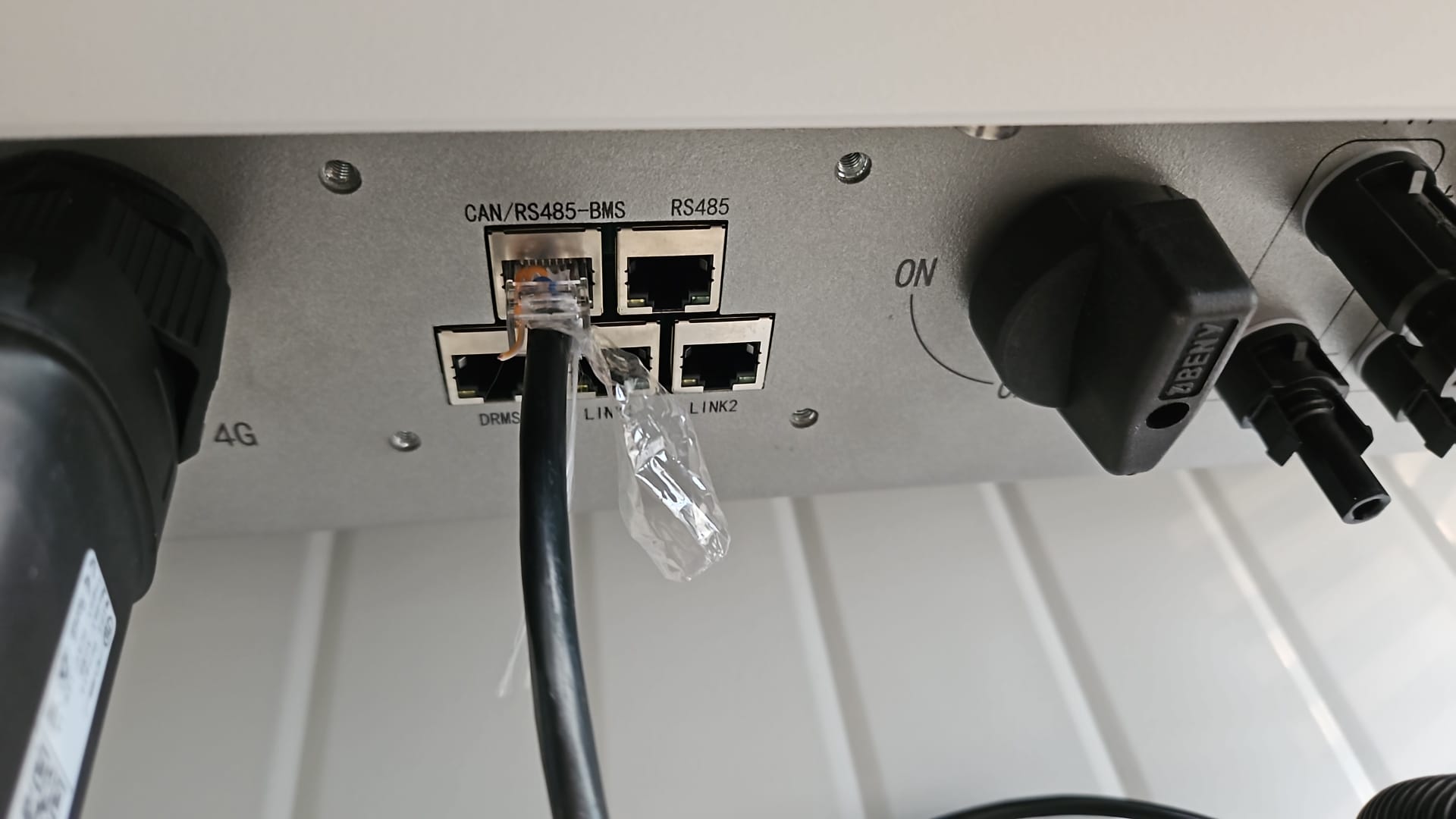
- For correct RS485 wiring: Follow the guidelines for RS485 wiring.
- If the wiring shown in the table below is incorrect, please let us know.
- There is no general consensus in the industry about the usage of A and B for the RS485 polarity, so it may be counterintuitive and opposite of what you might expect for some devices.
| Device | a-TroniX Controller model OM1 | a-TroniX Controller model IG8 | RS485-USB converter | RS485-Ethernet converter |
|---|---|---|---|---|
| Pin 7 (White-Brown) | RS485 A | RS485_POS | RS485 A | TX+ |
| Pin 8 (Brown) | RS485 B | RS485_NEG | RS485 B | TX- |
| N/A | RS GND | GND | Not available | G |
Warning
Warning
I can't find my Ampihome inverter For Ampowr hybrid inverters, the default bus addresses are 247 for Modbus RTU and 255 for Modbus TCP. The a-TroniX Controller will scan for devices on all addresses from 1 to 255. Therefore, it can take a while to scan for devices.
TIP: If you know the bus address of your inverter, you can set it in the a-TroniX Controller to speed up the scanning process.
Configuration
Ampihome Single-Phase
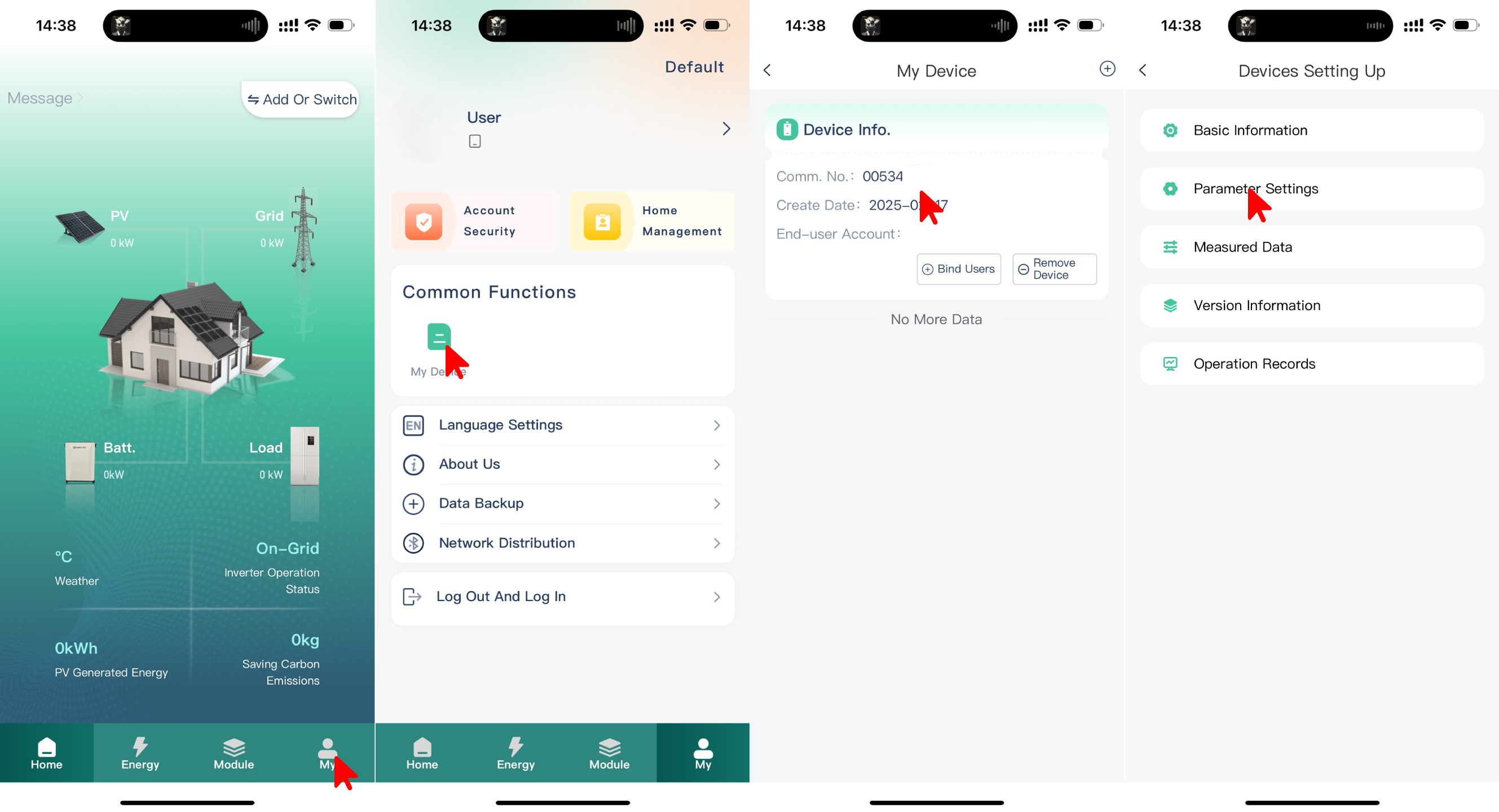
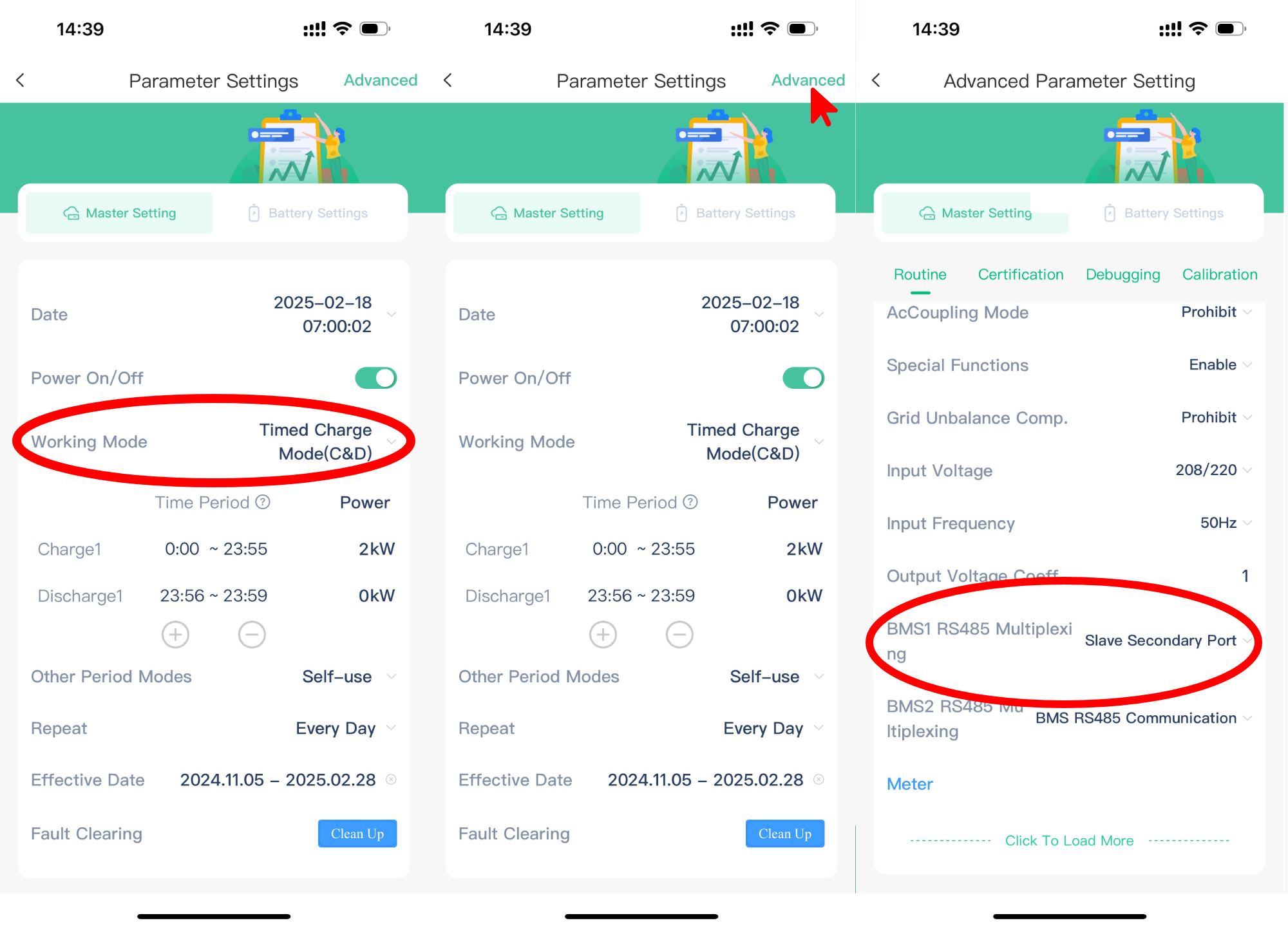
The Ampihome Single-Phase needs to be set to Slave Secondary Port:
- Open the ESS Link app
- Select "My" in the bottom-right corner
- Select "My Device"
- Select on the device's "Comm No."
- Select "Parameter Settings"
- Set "Working Mode" to "Timed Charge Mode (C&D)"
- Select "Advanced" in the top-right corner
- Set "BMS1 RS485 Multiplexing" to "Slave Secondary Port"
Warning
NOTE: RS485 Device Addresses
- You MUST give each device on the RS485 bus a unique address. Check the manual of the device on how to do this.
- Use lower addresses first (1, 2, ...) because the a-TroniX Controller will find them faster!
- For each device, it is generally recommended to stick with the factory default baud rate, parity, and stop bits. The a-TroniX Controller will scan on those first.
Last updated December 11, 2025Edit this page