
Accessing the commissioning interface
Note
Make sure the a-TroniX Controller is switched on and connected to the network.
Tip
Troubleshooting
If you have have trouble accessing the commissioning interface, see also "Troubleshooting: Access to the commissioning interface".
Option 1: Access through the app or portal
Tip
Make sure you have linked the a-TroniX Controller to your account before proceeding.
-
Log in to the app (smartphone) or a-TroniX app (computer).
-
Set the view to 'a-TroniX'
-
In the settings menu, switch to the a-TroniX Controller that you want to access.


- Access the commissioning interface by clicking "Controller configuration".
Tip
If it says that the a-TroniX Controller is offline, check out the wiring & connectivity guidelines and the network firewall guidelines
Option 2: Access locally through mDNS
Warning
Software version
This option is valid from software version 1.18.x.y onwards.
Note
Operating system
The a-TroniX broadcasts its IP address through mDNS. This protocol is supported on Windows 11 and newer builds of Windows 10. Older Windows versions do not support mDNS.
- Connect your computer through ethernet to the same network as the a-TroniX Controller.
- Make sure you have DHCP configured for the ethernet interface of your computer. (NOT a fixed IP address! See also give your computer a fixed IP address)
- Switch off WiFi on your computer (and 4G if you have that), and restart your computer so all network connections are cleared. After restarting, make sure all VPN connections are disabled.
- Open a browser, surf to http://[SERIAL_NUMBER].local, where [SERIAL_NUMBER] is to be replaced by the serial number of your controller. For example, http://OM1241105ZEXO12B10A.local
- It can take a minute for your computer to find the a-TroniX Controller.
- If no connection can be made, you need to find the local IP address of the a-TroniX Controller. See option 3.
Tip
Initial configuration for a network without DHCP
If you need to initially configure the controller in a network without DHCP, you can directly connect the controller to your computer (without a router) - and access it through mDNS.
Option 3: Access locally through the a-TroniX Controller's IP address.
Option 3.1: Find the IP address with an IP scanner (works if the a-TroniX has a good network configuration)
-
Download an IP scanner such as "Fing" (Google Play Store or iOS App Store) or "Advanced IP Scanner" (Windows).
-
Connect your smartphone or computer to the same network as the a-TroniX Controller.
-
Scan for devices on the network and find the IP address of the device with the MAC address listed on the a-TroniX Controller's label.
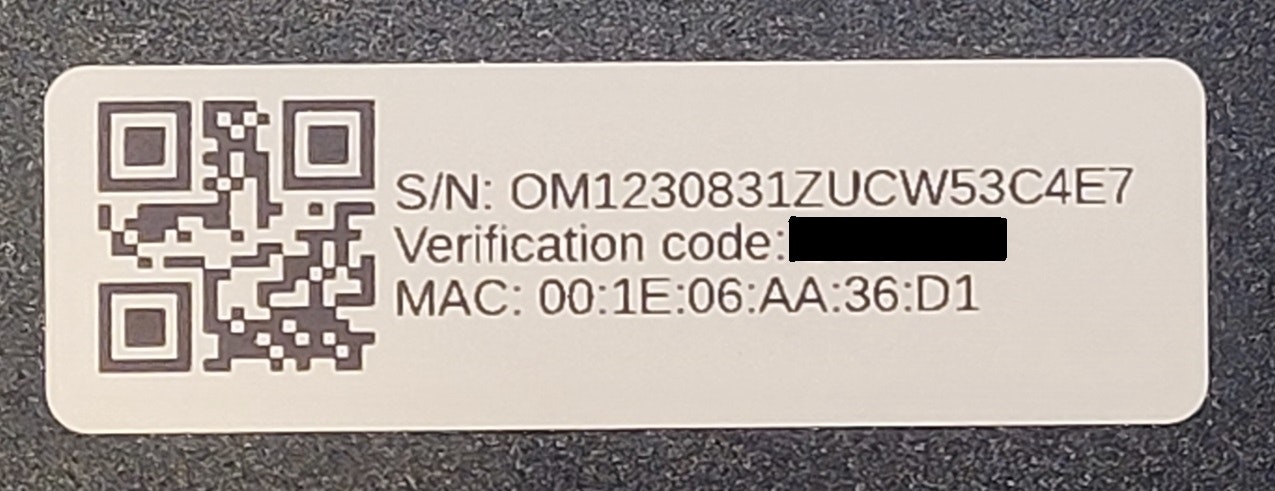
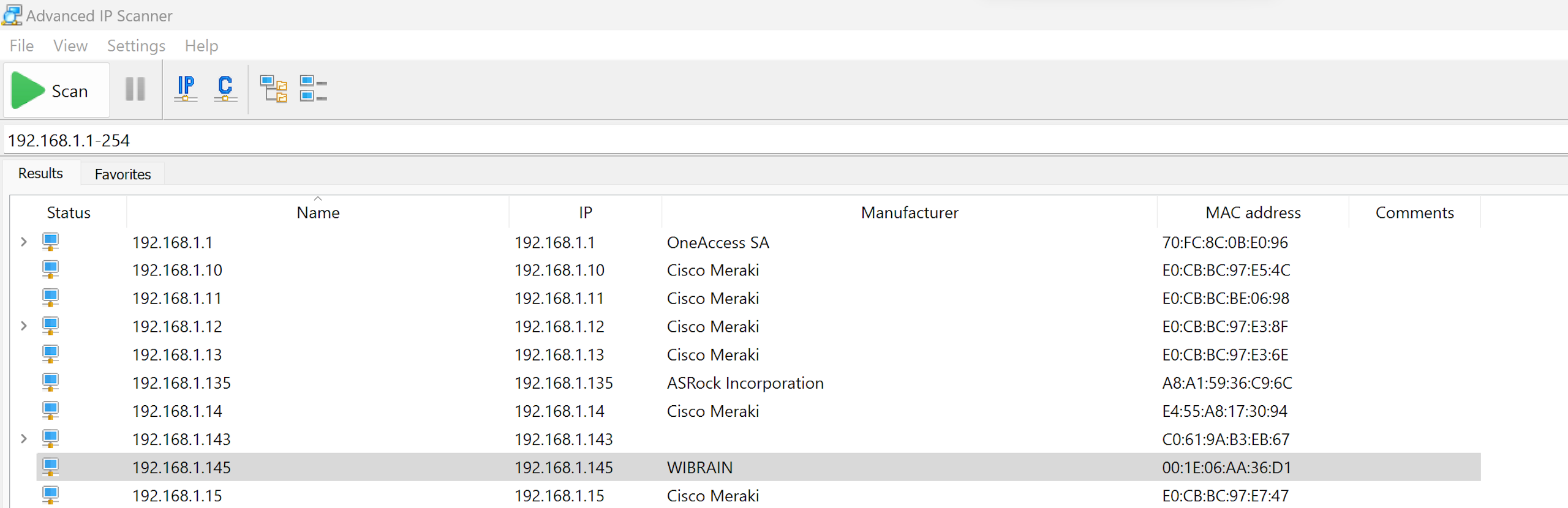
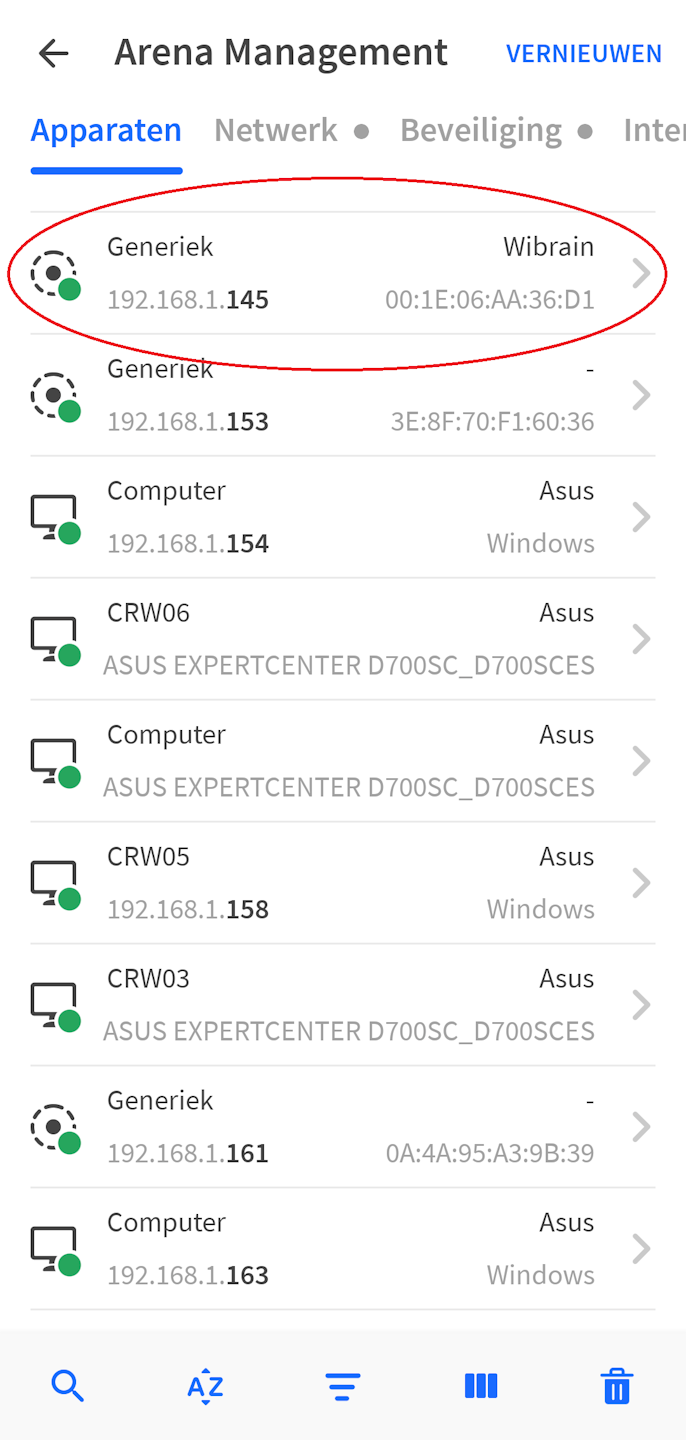
- In a webbrowser, surf to the IP address.
Option 3.2: Find the IP address with mDNS (also works if the a-TroniX does NOT have a good network configuration)
Warning
Software version
The procedure below is valid from software version 1.18.x.y onwards.
Note
Operating system
The a-TroniX broadcasts its IP address through mDNS. This protocol is supported on Windows 11 and newer builds of Windows 10. Older Windows versions do not support mDNS.
- Connect your computer through ethernet to the same network as the a-TroniX. Switch off WiFi on your computer (and 4G if you have that), and restart your computer so all network connections are cleared. After restarting, make sure all VPN connections are disabled.
- Open the Windows start menu, type "powershell" and open "Windows PowerShell".
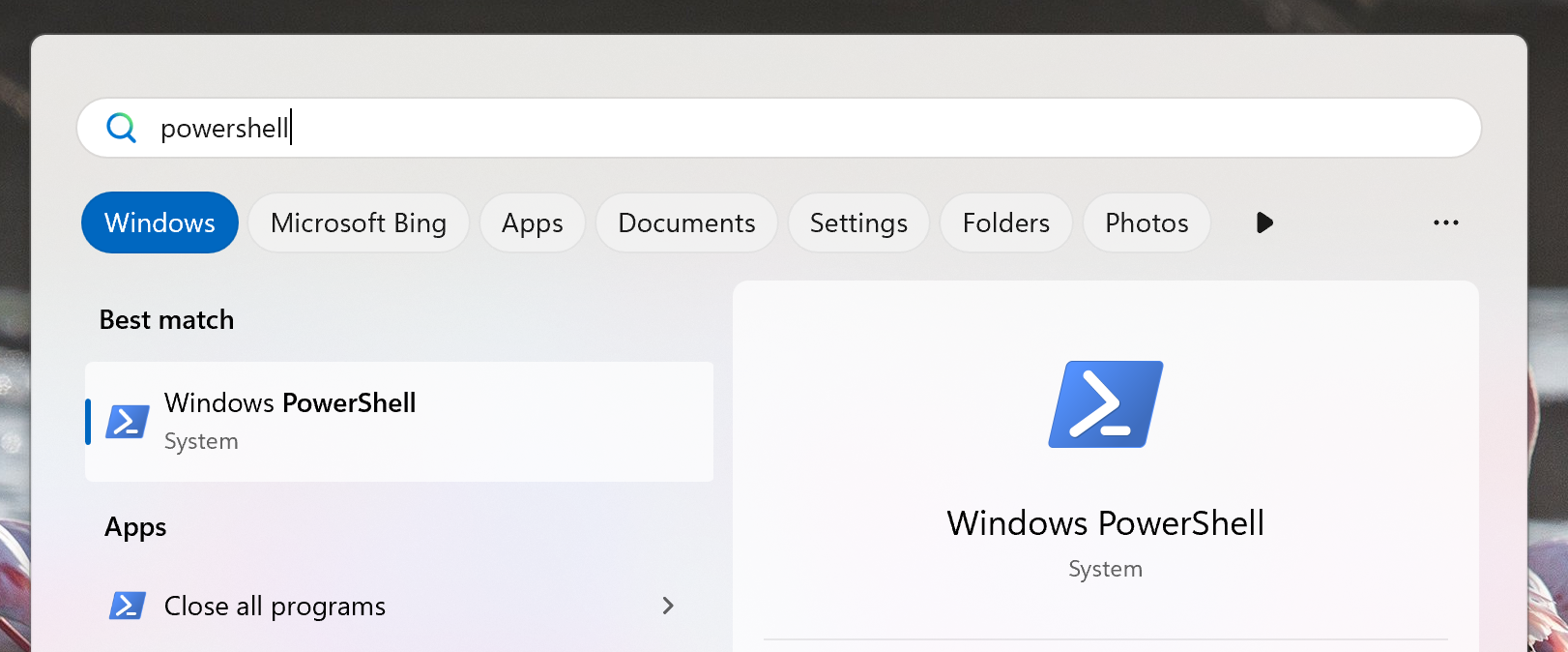
- In PowerShell, type: "Resolve-DnsName -Name [SERIAL_NUMBER].local", where [SERIAL_NUMBER] is to be replaced by the serial number of your controller. For example, "Resolve-DnsName -Name OM1241105ZEXO12B10A.local"
- After a minute, the IP addresses of the controller should appear.
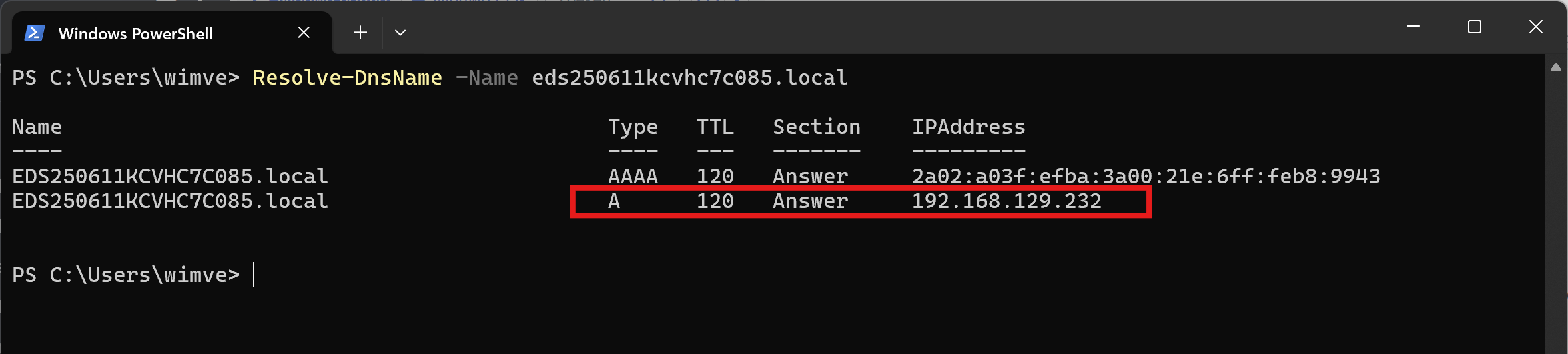
- Only the address of the type "A" (an IPv4 address) can be used to access to the commissioning interface, due to general restrictions in web browsers.
- If your computer is in the same subnet as the a-TroniX, then you should be able to access the commissioning interface by surfing to the IP address in a web browser.
- Else, first give your computer a fixed IP address in the same subnet as the a-TroniX before accessing the commissioning interface.