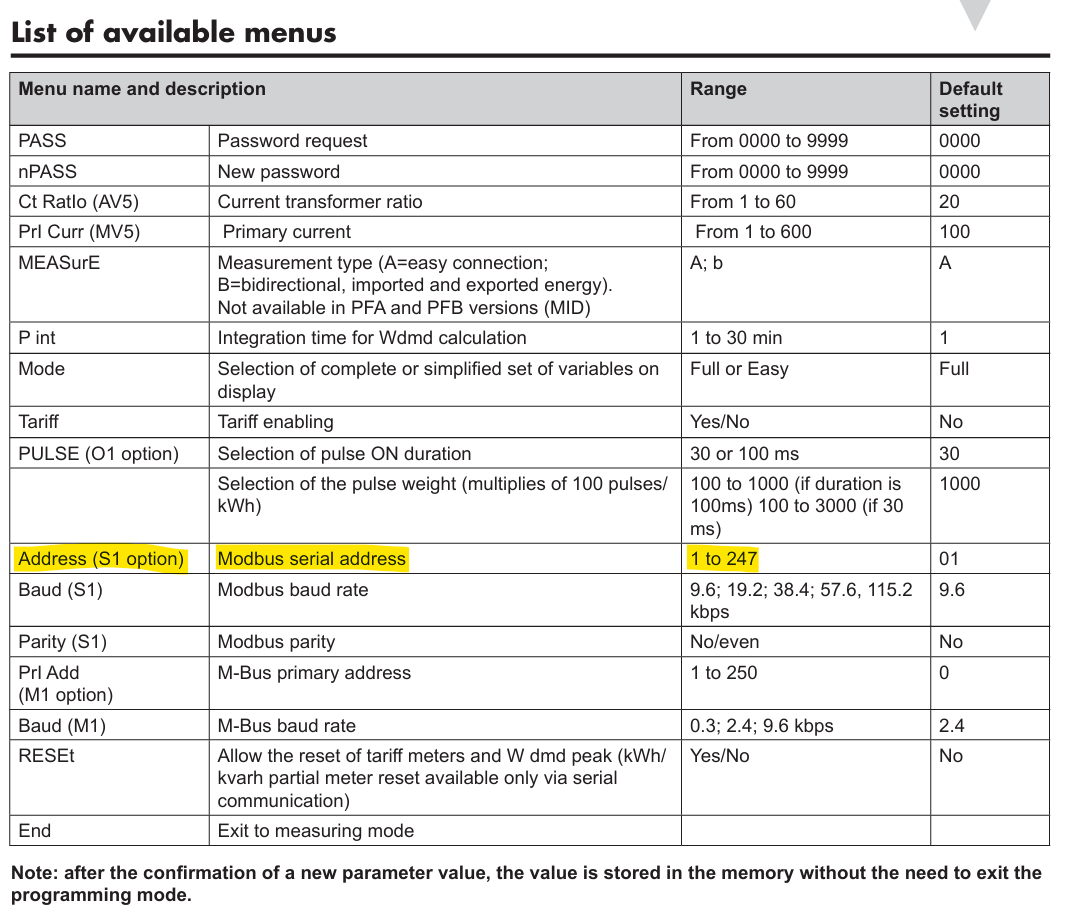
عداد الطاقة Carlo Gavazzi EM111

الأجهزة المدعومة
| Device Type | Modbus TCP (Ethernet) | RS485 |
|---|---|---|
| Carlo Gavazzi EM111 | ❌ | ✅ |
التوصيلات
RS485
معلومات
RS485 Wiring
- For correct RS485 wiring: Follow the guidelines for RS485 wiring.
- If the wiring shown in the table below is incorrect, please let us know.
- There is no general consensus in the industry about the usage of A and B for the RS485 polarity, so it may be counterintuitive and opposite of what you might expect for some devices.
| Device | a-TroniX Controller model OM1 | a-TroniX Controller model IG8 | RS485-USB converter | RS485-Ethernet converter |
|---|---|---|---|---|
| Terminal 8 / A- | RS485 A | RS485_POS | RS485 A | TX+ |
| Terminal 6 / B+ | RS485 B | RS485_NEG | RS485 B | TX- |
| N/A | RS GND | GND | Not available | G |
التهيئة
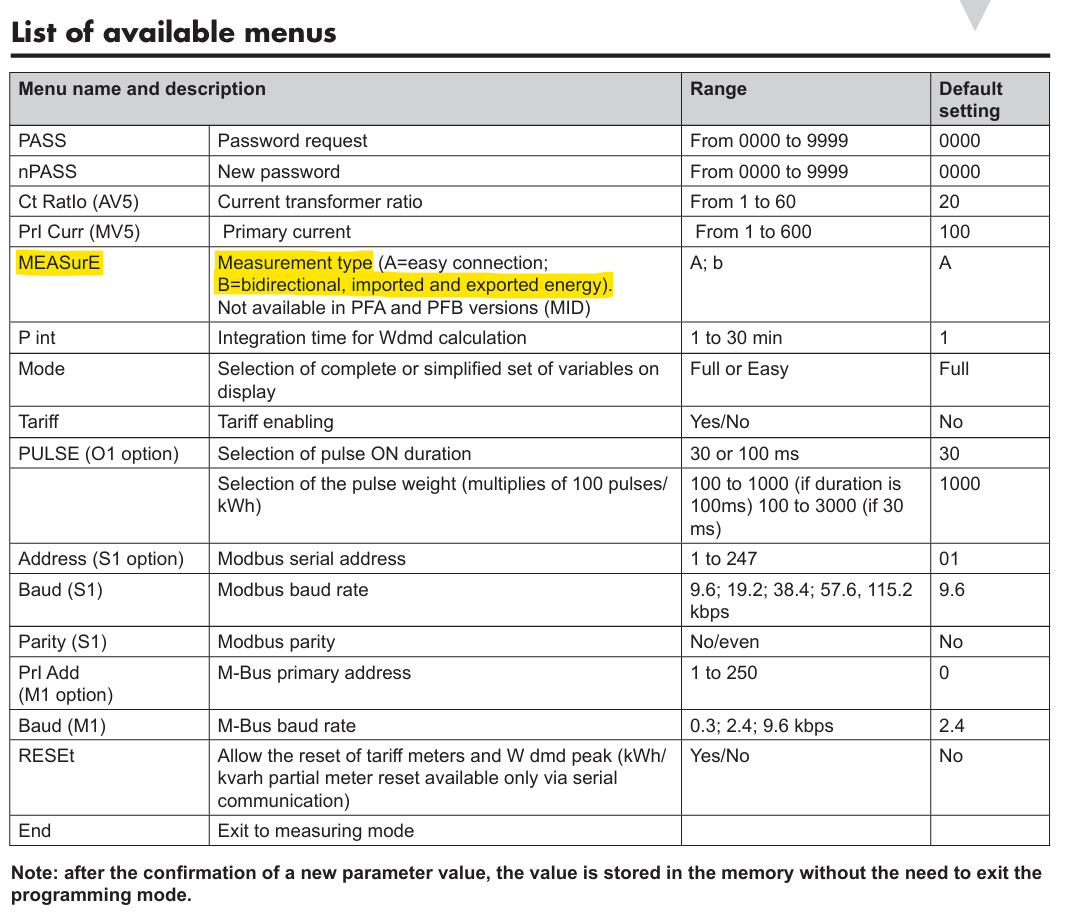
تحقق من ضبط عداد Carlo Gavazzi لقراءة كل من الطاقة الداخلة والخارجة. قد يؤدي وضع غير مناسب إلى:
- فقدان قراءات التغذية، أو
- احتساب التغذية كاستهلاك (بالإضافة إلى "الاستهلاك الفعلي")
يمكنك ضبط ذلك من خلال قائمة التهيئة ‘MEASurE’ في العداد الكهربائي. يجب ضبطها على ‘b’.
تحذير
تحذير
قد لا تكون هذه الإعدادات متوفرة في النماذج المعتمدة MID (الأرقام التي تنتهي بـ PFA و PFB).
تحذير
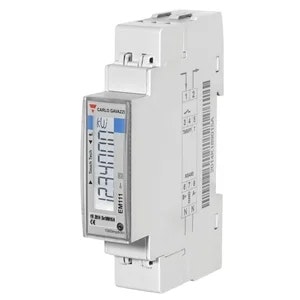
NOTE: RS485 Device Addresses
- You MUST give each device on the RS485 bus a unique address. Check the manual of the device on how to do this.
- Use lower addresses first (1, 2, ...) because the a-TroniX Controller will find them faster!
- For each device, it is generally recommended to stick with the factory default baud rate, parity, and stop bits. The a-TroniX Controller will scan on those first.
قم بضبط عنوان Modbus من خلال قائمة التهيئة "Address" في عداد الطاقة.