
ABB Energy Meters

Supported Devices
| Device Type | Modbus TCP (Ethernet) | RS485 |
|---|---|---|
| ABB B21 | ❌ | ✅ |
| ABB B23 | ||
| ABB B24 |
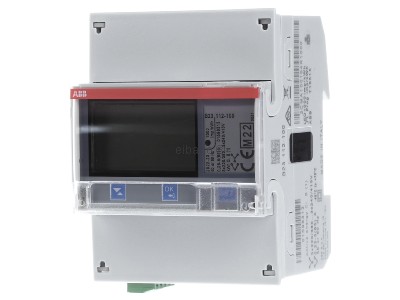
Wiring
RS485
The ABB B-series meters (B21, B23, B24) use a 3-pole RS485 connection. Connect these to the Controller as follows, based on the meter's terminal markings.
1. Device (ABB Meter) Pinout
This table shows the terminals on the meter itself.
| Signal | Terminal Number |
|---|---|
| A | 37 |
| B | 36 |
| C (GND) | 35 |
IMPORTANT: Troubleshooting
The 'A' and 'B' labels are not universally standardized. If the Controller cannot find the device during a scan, it is often due to a wiring mismatch.
Swap the A and B wires (between the controller and the meter) and try scanning again.
2. Controller & Converter Pinout
This table shows the corresponding RS485 pins on a-TroniX controllers and converters. Match the 'A' and 'B' from the meter (see table above) to the 'A' and 'B' on your controller.
RS485 Wiring
- For correct RS485 wiring: Follow the guidelines for RS485 wiring.
- If the wiring shown in the table below is incorrect, please let us know.
- There is no general consensus in the industry about the usage of A and B for the RS485 polarity, so it may be counterintuitive and opposite of what you might expect for some devices.
| Device | a-TroniX Controller model OM1 | a-TroniX Controller model IG8 | RS485-USB converter | RS485-Ethernet converter |
|---|---|---|---|---|
| A | RS485 A | RS485_POS | RS485 A | TX+ |
| B | RS485 B | RS485_NEG | RS485 B | TX- |
| N/A | RS GND | GND | Not available | G |
Configuration
NOTE: RS485 Device Addresses
- You MUST give each device on the RS485 bus a unique address. Check the manual of the device on how to do this.
- Use lower addresses first (1, 2, ...) because the a-TroniX Controller will find them faster!
- For each device, it is generally recommended to stick with the factory default baud rate, parity, and stop bits. The a-TroniX Controller will scan on those first.
Use the following Modbus settings in the Controller's device wizard. These are the default settings for the meter:
- Baudrate: 19200
- Modbus Address: 1 (or the address set on the meter)
- Parity: Even
- Stop bits: 2